Free Websites, Gmail and Your Own Domain: What South African Businesses Get Wrong
What a free website for your business really gets you, why free builder apps and Gmail addresses quietly cost work, and what it takes to look verifiable online.
Over the past ten years, the New Perspective Design team has set up email, domains and basic websites for more small businesses than we can count. Construction companies and holding companies make up the largest share. The first contact is rarely about a website. It usually starts with a company profile or a letterhead, and the client almost always arrives with a Gmail address.
Many of them tried a free website first. This guide covers what free websites and free email actually give you, what we see go wrong, and how to fix it. Tenders are part of the story, but not all of it. The same problems hit any business that needs clients, suppliers or official systems to take it seriously.
Can You Get a Free Website for Your Business?
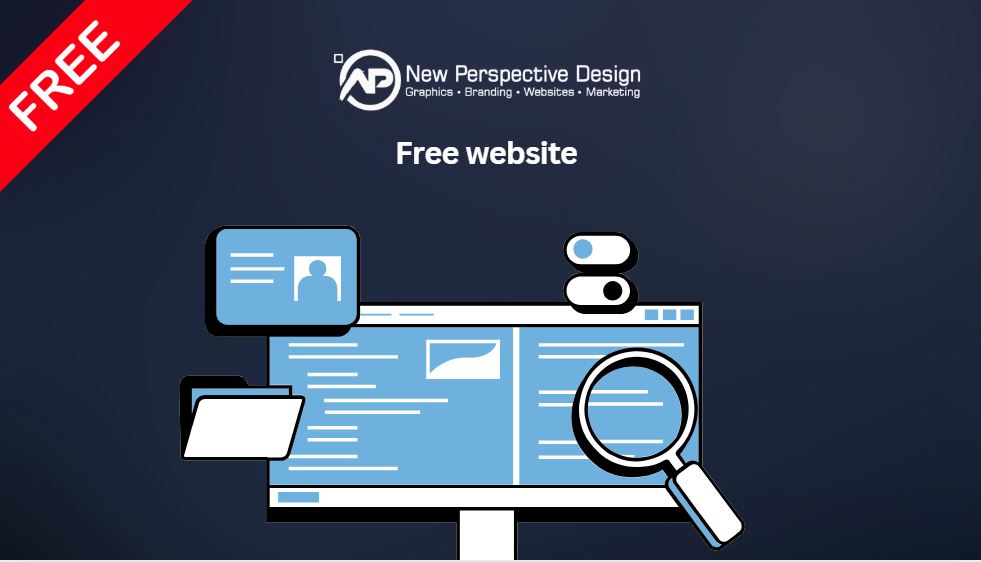
Yes, but free usually means one of three things: a free builder app plan on the platform’s own subdomain, a social media page instead of a website, or a free website that comes with paid hosting and your own domain. Only the last gives you a web address and email in your company’s name.
| Free option | What you get | The catch |
|---|---|---|
| Free builder app plan | A site you build yourself on the platform’s subdomain | Watermarked, rarely ranks, and a paid plan in dollars is needed to connect your own domain |
| Facebook or social media page | A business page on someone else’s platform | Not a website, no domain, no business email, and you follow the platform’s rules |
| Google Business Profile website | Google used to offer simple free sites through Business Profiles | Google discontinued these in 2024, so businesses relying on them lost their site |
| Free website with paid hosting | A site built on your own domain, with business email | You pay a monthly hosting fee, usually in rands |
The free website is rarely the expensive part. The costs show up later: in upgrades, in a domain you cannot connect, in email that does not arrive, and in clients who decide you do not look established enough.
Are Free Website Builders Good Enough for a Business?
For a hobby, they can be. For a business that needs to be found and trusted, they usually are not. Free plans put your site on the provider’s subdomain, often show their branding, and give search engines little reason to rank you. The free period is typically a short trial, and connecting your own domain requires a paid plan.
What we see when clients come from free builders
- No domain of their own. The site sits on someone else’s address, which looks temporary to anyone checking.
- Not showing in Google. A free subdomain site rarely ranks, so it does little to help people find the business.
- Watermarks. The builder’s branding on the page makes the business look like a side project.
- Short trials. Many are 7 or 14 day trials, with payment required up front to move to a real domain.
- DNS nobody understands. Pointing a domain at a builder means editing DNS records, and most owners have never heard of them.
- Locked in. Once your site is built inside a platform, moving it elsewhere usually means starting again.
| Free website builder | Own domain with managed hosting | |
|---|---|---|
| Web address | A subdomain of the platform | Your own domain, in your company’s name |
| Usually separate, often still Gmail | Addresses on your own domain | |
| Branding | Platform watermark on free plans | Only yours |
| Setup | You do it, including DNS | Handled for you |
| Billing | Usually in US dollars | In rands |
| Moving later | Often means rebuilding | Files and domain are yours to keep |
You can still have a drag and drop builder
The appeal of free builder apps is that you can edit your own site. You do not have to give that up to get your own domain. Many managed hosting plans run WordPress with a visual page builder, so the site lives on your domain and you can still change text and images yourself.

Divi is one of the most widely used builders of this kind. Bought on its own, a licence costs $89 a year or $249 once-off. Some South African hosts include it with their plans, which removes the dollar subscription altogether.
Builders like this also come with ready-made templates. Divi includes more than 2,100, so expanding a one-page site later does not mean starting from a blank screen.

Why Dollar-Priced Website Tools Get Expensive in Rands
Most popular website builders are overseas platforms billed in US dollars. The advertised price looks small until it is converted, and then it moves every month with the exchange rate. A paid builder plan, plus hosting, plus a domain, plus email, can add up to a real monthly cost for a tool that will not scale with the business and hosting the owner still does not know how to manage.
For a small South African business, rand pricing matters as much as the price itself. A fixed monthly amount in rands is easier to budget for than a bill that changes whenever the dollar does.
Do You Need a Professional Email Address for Your Business?
Yes, if other businesses, government systems or new clients need to trust you. A professional email address uses your own domain, such as [email protected], instead of a free provider like Gmail. It shows the business is registered and established, and it gives you control over delivery settings that free addresses do not.
We regularly see the cost of skipping this step. Clients have come back to us asking about hosting, and when we ask why, the answer is the same: they need a proper email address because they have already lost out on work without one.
What a Gmail address signals
A free address can look temporary, and anyone can create one in minutes under any business name. For a buyer checking a new supplier, that makes you harder to verify.
What a domain address signals
An address on your own domain ties your email, your website and your company name together. It is a small detail that makes a business look permanent.
Where Free Email Addresses Cause Real Problems
The biggest issue is not appearance. It is delivery. Official state notifications, automated Central Supplier Database (CSD) login OTPs and tender communications can land in spam or junk folders when sent to free email providers like Gmail or Yahoo. A missed OTP or a buried award notice can cost a business an opportunity it never knew it had.
Government and corporate mail systems are strict about sender authentication. When a business sends from a domain that is not set up properly, those systems can reject or filter the mail before a person ever sees it.
What Are SPF and DKIM, and Why Do They Matter?
SPF and DKIM are settings on your domain that prove your emails really come from you. SPF lists the servers allowed to send mail for your domain. DKIM adds a digital signature to each message. Without them, receiving servers cannot confirm who sent the email, so strict systems treat it as suspicious.
In our experience, this is where do-it-yourself business email fails most often. The domain works, the inbox works, but SPF and DKIM were never configured. Mail to government systems goes missing, and the business has no idea why.
| Record | What it does | What happens without it |
|---|---|---|
| SPF | Lists which mail servers may send email for your domain | Receiving servers cannot confirm the sender, and mail is more likely to be filtered |
| DKIM | Signs each email so the receiver can check it was not altered | Messages fail authentication checks on strict systems |
| DMARC | Tells receiving servers what to do when SPF or DKIM checks fail | Your domain is easier to spoof, and delivery is less predictable |
These are DNS records, set wherever your domain is hosted. They take minutes for someone who knows where to put them, and they are easy to get wrong for someone who does not.
Why Business Email Breaks Across Phone and Laptop
Most business email problems we fix come from using POP on more than one device. POP downloads messages to one device and often removes them from the server. Set it up on a phone and a laptop, and mail ends up scattered: some messages on one, some on the other, some gone. IMAP keeps everything on the server and syncs every device.
| POP | IMAP | |
|---|---|---|
| Where mail lives | Downloaded to one device | Kept on the server |
| Multiple devices | Messages split between devices | Every device shows the same inbox |
| Sent items and folders | Not shared between devices | Synced everywhere |
| Lost phone or laptop | Mail on that device can be lost | Mail stays on the server |
Why Share Company Documents From Your Own Domain?
Hosting documents such as your company profile, CIDB grading or NHBRC registration on your own website lets you share them with one professional link. Instead of attaching large files to every email, you send a link like yourcompany.co.za/documents. It looks organised, it avoids attachment size limits, and the documents are always the current version.
Company profile
One link to your profile, which you can update without resending files to everyone.
Certificates
CIDB, NHBRC and similar registrations, ready to share with a client or buyer on request.
One professional link
A link on your own domain reads as more established than a file-sharing link or a stack of attachments.
Who Needs a Professional Email and Website Most?
Any business that other businesses need to verify. In our experience, these groups feel the gap first:
- Construction companies, which deal with main contractors, developers and public work where paperwork is checked closely.
- Holding companies, which often apply for opportunities across many sectors and need to look established in all of them.
- Newly registered businesses with a CIPC registration and a logo, but nowhere for clients to land.
- Businesses with permanent branding, such as signage or vehicle wraps, where the web address printed today needs to work for years.
- Businesses bidding on tenders, where CSD notifications and official email must arrive reliably.
The Verifiable Business Checklist
Use this to check whether your business looks established to someone searching for you for the first time.
- 1A domain registered in your company’s nameNot in a developer’s or a friend’s name. You should be able to move it if you ever need to.
- 2Email on that domainAt least one address, such as info@ or your own name, instead of a Gmail address.
- 3SPF and DKIM configuredAsk whoever hosts your domain to confirm both are set. Add DMARC if possible.
- 4IMAP on every deviceNot POP, so your phone and laptop show the same inbox.
- 5A website on your domainEven one page with your services, contact details and registration information.
- 6Documents you can share with a linkCompany profile and certificates hosted on your own domain.
- 7Matching letterhead and email signatureSo every document and email carries the same name, address and branding.
How We Handle This for Clients

When a client comes to us for a company profile or letterhead, we usually set up the domain, professional email with SPF and DKIM, and a one-page website at the same time, because the documents are only as convincing as the email address on them. We offer a free one-page website with hosting for exactly this situation, with the Divi builder included, and full details of our plans are on our website hosting in South Africa page.
Frequently Asked Questions
Is there a free website for businesses in South Africa?
Can I use a Gmail address for my business?
Why are my business emails going to spam?
Should I use POP or IMAP for business email?
Is a free website builder good enough for a business?
Can I edit my own website without a free builder app?
Who should own my business domain?
Why host my company profile and certificates on my website?
Free Is a Start. Your Own Domain Is the Foundation.
A domain in your name, email that arrives, and a page that confirms who you are. None of it is complicated once it is set up properly, and it removes a reason for anyone to doubt you.