

Business Technology Solutions for South African SMEs
From Zoho CRM and QuickBooks setup to workflow automation, WordPress integrations, and AI-driven business process improvements. We connect, automate, and optimise the systems your business runs on.
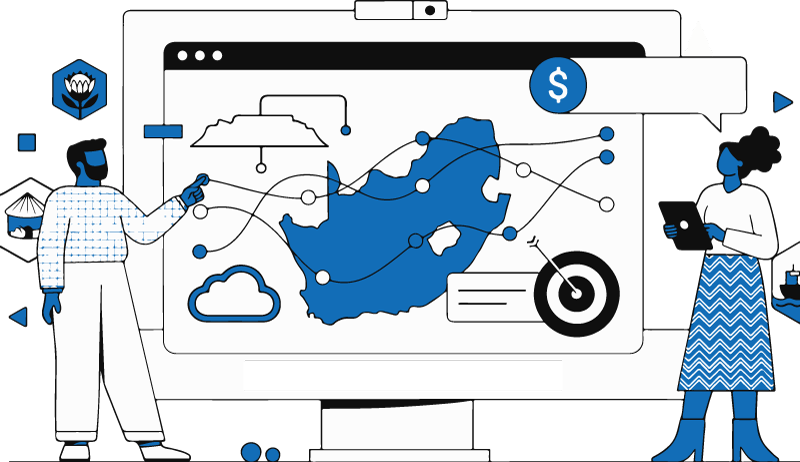

Welcome to New Perspective Design – South Africa’s Foremost Web Design Expert
When creating this web design page dedicated to our website design services in South Africa, we thought: what can we, as a website design company, write on this page that will be most helpful to our clients and users in general?
And so, we came to our first point to address: education.
Educating clients on website design is integrally important. After all, they need to know what they are buying—whether it is a website design package, a standard brochure website, or an e-commerce online store website. Educating clients on the different websites available to them, their pros and cons, and how to manage their website has always been a part of our process when working with clients.
What is a website?
A website is a collection of web pages hosted on a server and accessible through the internet, typically via a domain name. It can serve many purposes—sharing information, selling products, offering services, or providing entertainment. Websites can be static (showing fixed information) or dynamic (interactive and regularly updated). In today’s world, a website is often the main point of contact between a business and its audience.
Is a website important for business in South Africa?

The numbers would say yes:
Approximately 237,400 websites in South Africa are currently powered by WordPress
As of 2025, there are approximately 18,626 live Shopify stores in South Africa
Having a website isn’t just a nice extra anymore—it’s essential. When someone hears about your business, the first thing they’ll do is look you up online. And what they find really counts. If your site feels outdated, takes forever to load, or isn’t mobile-friendly, you might be losing potential customers without even realizing it.
A well-designed site builds trust with visitors. On the flip side, a poorly designed one can send leads running away. It really is that straightforward.
If your website frustrates users, they’ll just click away. If they can’t quickly find what they’re after, they’ll go elsewhere. And if it looks shady or cheap, they won’t reach out to you. That can hit your bottom line, whether you rely on ads or word of mouth.
A solid website does three things well:
-
Establishes credibility: Clean, organized, professional-looking sites tell visitors you’re serious.
-
Boosts search visibility: Fast, mobile-friendly sites with good layout help you rank higher on Google.
-
Guides visitors effectively: Every page should serve a purpose—whether it’s getting a quote, booking, or contact info.
If your site isn’t doing these, you’re not just missing out on sales—you could be actively losing them.
The role of web hosting in website design
Think about the website that we design as a flashy sports car—your hosting is the tires of that car. It’s where the website will live on the internet, how fast your website serves to visitors, how secure it is—and it’s all greatly determined by your hosting.
It doesn’t help getting a flashy car and putting on trashy old tires; it won’t perform. The same can be said for a website. If you have a CPU-intensive or memory-intensive e-commerce website, we can implement better coding and some caching, but ultimately your server needs a good amount of RAM, a great TTFB, CPU, and a solid base to work from.
What is a CMS and which is the best to pick in South Africa?

A CMS (Content Management System) is software that allows you to create, manage, and modify content on a website without needing extensive coding knowledge. There are hundreds—if not thousands—of CMS platforms in the world.
In South Africa, a few CMS systems are particularly popular.
WordPress websites
WordPress usage in South Africa (WooCommerce/WordPress) → 46%
WordPress is incredibly flexible when it comes to website design and development. Originally a blog platform, WordPress as a CMS can now be altered to create simple business websites, RFQ websites, and, with WooCommerce, is incredibly popular for e-commerce.
The advantage of WordPress is its flexibility and cost. You can do pretty much anything you want on WordPress with a massive developer community behind it and thousands of plugins for just about anything you need your website to do. It is by far the most flexible option.
The massive amount of documentation available online on WordPress development and its API make it developer-friendly and allow all this flexibility. However, WordPress has a bit of a steeper learning curve, requires more website maintenance than other CMSs, and, if not looked after, can become unsecure.
Wix websites
Wix runs about 11% of South Africa’s websites.
Wix is another CMS platform. It’s great if you want to get a basic website up quickly, need a drag-and-drop builder, and want a company to handle hosting for you. However, if you intend on scaling your website as your business grows, you will soon hit the limitations of the platform.
Vendor locking with Wix is also a problem—your site is on their platform, and if you want to move it, you’ll need to rebuild it completely. Being another highly controlled environment, Wix websites are generally safe and pretty fast, but this comes at a cost—you can’t tweak everything to perfection like you can on WordPress.
Shopify websites
Shopify is a CMS on a platform. Shopify runs about 30% of the e-commerce web in South Africa.
Shopify is an e-commerce platform only. It has a strict environment that doesn’t allow for too much flexibility, but this ensures that their sites remain secure and fast. Secure and fast means user-friendly, and generally, Shopify sites are clean and come with hosting integrated.
Shopify can be customized with developers and also has an app store similar to the WordPress plugin repository. The cost of Shopify, especially for South Africans, can be a bit of an issue as you will pay in dollars. Almost every plugin and every function will be another add-on subscription, which can amount to thousands of dollars very quickly—an incredible amount in South African rands.
The last thing about Shopify is that the website you create on their platform is not yours—it’s theirs. They have the right to terminate it whenever they feel like it, and you cannot move it away, so beware of vendor lock-in here.
In South Africa’s e-commerce sector, WordPress (via WooCommerce) powers nearly half of all online stores, with Shopify holding about a third, and Wix just over a tenth.
What is the cost of a website in South Africa?
The cost of a website can depend on various factors. These include the number of pages, the functionality of the site, the language it’s written in, and the platform it’s designed on.
In South Africa, most websites are HTML, WordPress, Wix, or Shopify, and most website designers or web design companies generally sell websites at between R5,000 – R50,000 once-off. The average website designer in South Africa charges R275 per hour for work.
Of course, some of these platforms and agencies have monthly fees instead of once-off websites. Other considerations also include third-party tools often needed with websites, hosting and maintenance, and lastly, digital marketing.
What are considered affordable website design packages in South Africa?
Now that you know what website design is and the different types of websites that there are, you will find these are often bundled in packages with features commonly required by businesses.
You might get a 5-page basic package with basic SEO and hosting, or an online store website design package. There are also custom packages when businesses require more complex functionality such as listing websites.
In South Africa, you can look at the following averages for website design packages:
-
A typical small-business 5-page site runs between R6,000 and R16,000.
-
A business website (typically 8–16 pages) averages R14,000, ranging from R7,500 to R20,000.
-
An e-commerce site costs between R13,000 and R25,000, averaging R19,000.
Patent web design process

Step 1: Consultations
Our web design process always starts with a consultation. We take the time to understand your business and, more importantly, what you require your website to do and how it fits into the bigger picture of your business.
Step 2: Scoping
After the consult, we create a scope of the project. This makes sure our team and yours are aligned in terms of what is required and when it should be delivered.
Step 3: Drafting your website
We issue a content requirements folder in which you place all your website content. If you have made use of our website copywriting services, we will write the content for you. Images and media provided will be prepped by our graphic design team, and we will design the draft of your website.
Once complete, this draft website will be deployed on one of our test servers where it will wait for your review.
Step 4: Review website
This is where you get to see the full working prototype of your website from your own devices. We will meet and discuss any revisions that are required. While we do in-house testing, we often find that when clients run through their website on their own devices, a broader set of testing helps us iron out all the wrinkles.
Step 5: Go live
This is where we deploy your site on its live web hosting server. We also perform all the other tasks that can only be done once a website is on its live server, such as:
-
Setting up web application firewalls
-
Submitting your site to Google
-
Setting up mail SMTP and forms
-
Implementing caching
-
Connecting any APIs that your website requires
You are then also provided with a basic training video on how to use, edit, and work with your website. Lastly, we hand over your web server credentials and any other logins that you will require.
Step 6: Post web launch support
New Perspective Design is unique in that, even if you don’t have a website maintenance or SEO package with us, we provide support for 30 days post-launch. We create websites that we want to see around for a long time, and so we are just as invested in their success as you are.
And if a year down the line you find yourself in need of some new features or SEO work, feel free to get hold of us. We love working with clients we have worked with before and establishing long-lasting relationships.
Our web design recognition & awards
We have industry recognition for our work in the web design space in South Africa and abroad:
-
TechBehemoths Top South African Web Designers – Winner 2024

-
TechBehemoths Top South African Web Developers – 2024

-
TechBehemoths Top South African WordPress Developers – Winner 2024

-
98 five-star reviews on Google My Business
How we prepare websites for the future
At New Perspective Design, we take a proactive approach in our design and development work.
As enthusiasts of everything happening on the internet, we keep a keen eye on developments in the web space, SEO world, and even Google. We do this by reading and regularly contributing in community forums and discussions on social media. While no one can predict the future, we have a pretty good idea of where things are heading, and we often share these thoughts in our blog.
How long does it take to build a website?
This would depend on what type of website it is, and there are factors that also weigh into how long it takes—such as whether you have your content ready or if we need to produce it.
Most website drafts are completed 7–21 days after content has been finalised. We then also allow for 7 days of testing and revision, so most websites are completed in 28 days.
What types of websites do you design and develop?
New Perspective Design develops most types of websites for most industries. Some of the industries we’ve worked for—whether by doing SEO, creating new websites, or rebranding old ones—are:
-
Home Services Website Design
-
Agriculture & Farming Website Design
-
Nonprofits, Foundations & Church Website Design
-
Fitness & Gyms Website Design
-
Event Planning & Entertainment Website Design
-
Restaurants & Food Service Website Design
-
Professional Services Website Design
-
Manufacturing & Industrial Website Design
-
Tech & Software Website Design
-
Beauty & Wellness Website Design
-
Education & E-Learning Website Design
-
Automotive & Car Dealership Website Design
-
Real Estate & Property Website Design
-
Construction & Contractor Website Design
-
Financial Services Website Design
-
Hospitality & Travel Website Design
-
Medical & Healthcare Website Design
When we talk about types of websites, we develop basic brochure business sites, e-commerce websites, booking sites, CRM websites, landing page websites, directory or listing websites, personal blog websites, and of course custom-developed websites tailored to client needs, which may involve marketplace websites and API integrations.
Who are the top website design companies in South Africa?
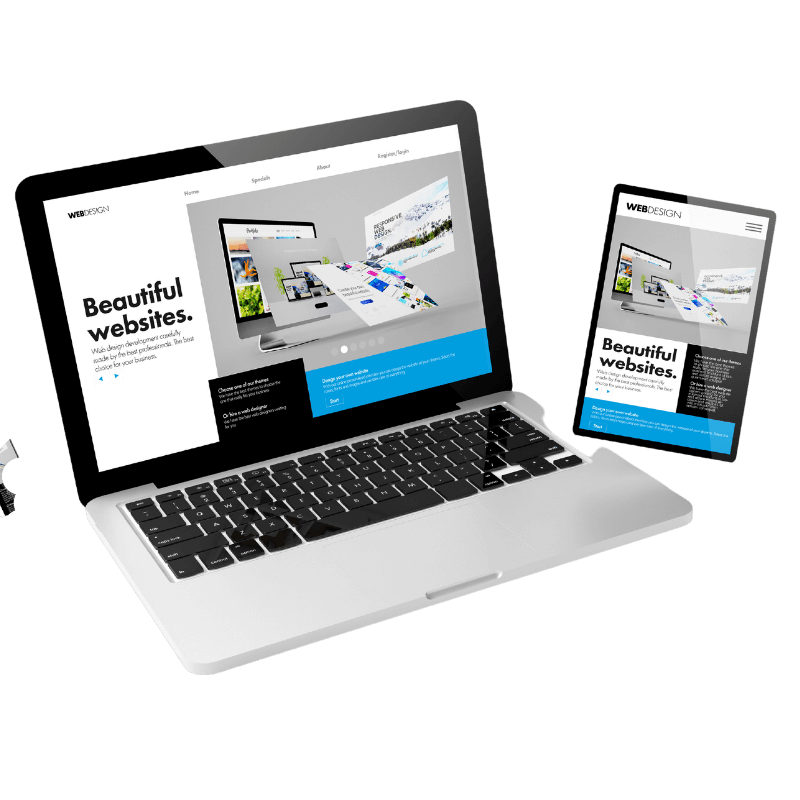

South Africa has become a pretty competitive hub for web design firms—and that’s actually a good thing for clients. It pushes the quality of websites up, making sure you get better results. As they say, a little competition never hurts.
Here’s a look at some of the best website design companies you’ll find in South Africa:
Websites 360
From the company:
“At Websites 360, we craft custom & template-based web designs tailored to your brand and audience. Our designs are visually stunning, user-friendly, and SEO-optimized to boost your online visibility and engagement.”
Address: 1000 Timbavati Street, Pretoria, 0181, South Africa
Pros:
-
Additional services besides website design, such as video production
Cons:
-
Lack of reviews
Verdict:
Websites 360 is a young, mid-range web design company in Johannesburg/Pretoria. With limited experience, they’re suited for starter sites with a bit of customization.
SA Website Designer
Address: 11 23rd St, Menlo Park, Pretoria, 0102
Pros:
-
SA Website Designer has a lot of great Google reviews
-
Their websites are on the more affordable side compared to other companies in Johannesburg
Cons:
-
Small team, run by a single website designer named Stephan
-
Limited capacity and slower turnaround times
-
Portfolio shows many templated designs that don’t stand out
Verdict:
Great if you’re looking for extremely affordable, quick websites that don’t require custom development or graphic design.
StarBright
Address: 80 Sovereign Dr, Route 21 Business Park, Pretoria, 0157
From the company:
“Our team of website designers, fueled by caffeine and motivated by praise from our long list of satisfied clients, are top-notch experts in their field. With over 70 years of combined experience, we’re highly skilled in multiple programming languages and web technologies, ensuring proficiency and excellence in every project we undertake.”
Pros:
-
Very good average rating from 97 clients on Google
-
Quick turnaround times
-
Additional services like hosting and SEO
Cons:
-
Portfolio leans heavily on templated designs
-
Pricing is higher compared to other web design companies in Pretoria
Verdict:
If you’re looking for something that’s been vetted and offers more than just website design, StarBright is a safe go-to in Pretoria.
Web Devine
From the company:
“Sick of automated and AI-powered responses received from large companies? At Web Devine, you collaborate with real people—passionate professionals who genuinely care about you and your business.
In an era where digital expertise is essential, we are the trusted online advertising partner you’ve been searching for.”
Address: 354 Braam Pretorius Street, Magalieskruin, Pretoria (H/O)
Pros:
-
82 reviews on Google with a 4.9 average
-
Offers graphic design, website design, SEO, and hosting
Cons:
-
Expensive: R11,500 for a 5-page website; e-commerce starts at R14,850 for 3 pages
-
Hosting costs R240 for a 5GB server with 8 email accounts—on the higher side
Verdict:
Great design work, and if you want to be sure you get quality, this Pretoria website design company delivers. But you will be overcharged.
CRM Setup & Management
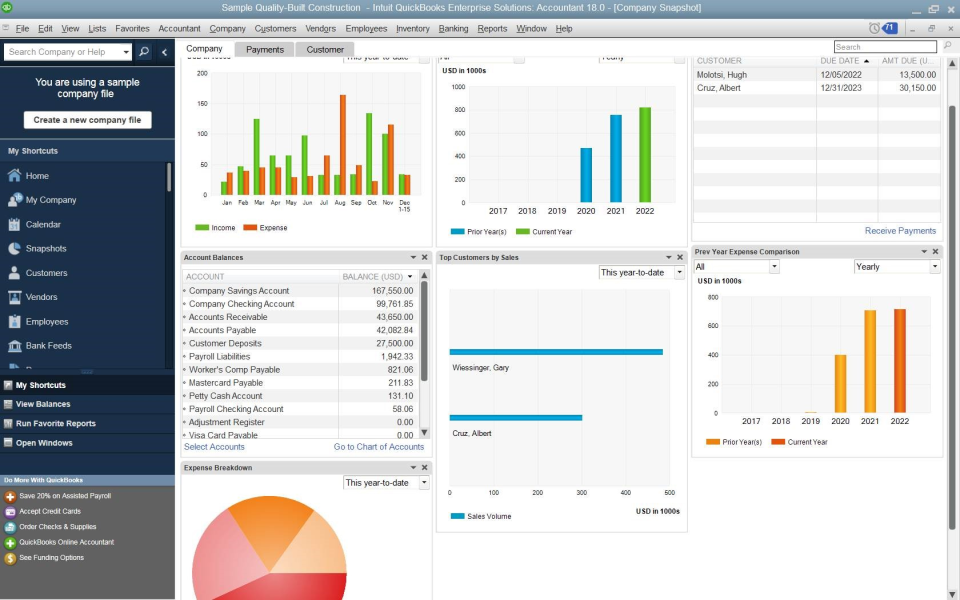
Zoho CRM setup, pipeline design, user configuration and integration — get your sales process out of spreadsheets and into a system that tracks and reports automatically.

Accounting Software Integration
QuickBooks, Xero and Sage setup, configuration and integration with your website, CRM and email — invoicing, reporting and financial data without manual re-entry.
Workflow Automation
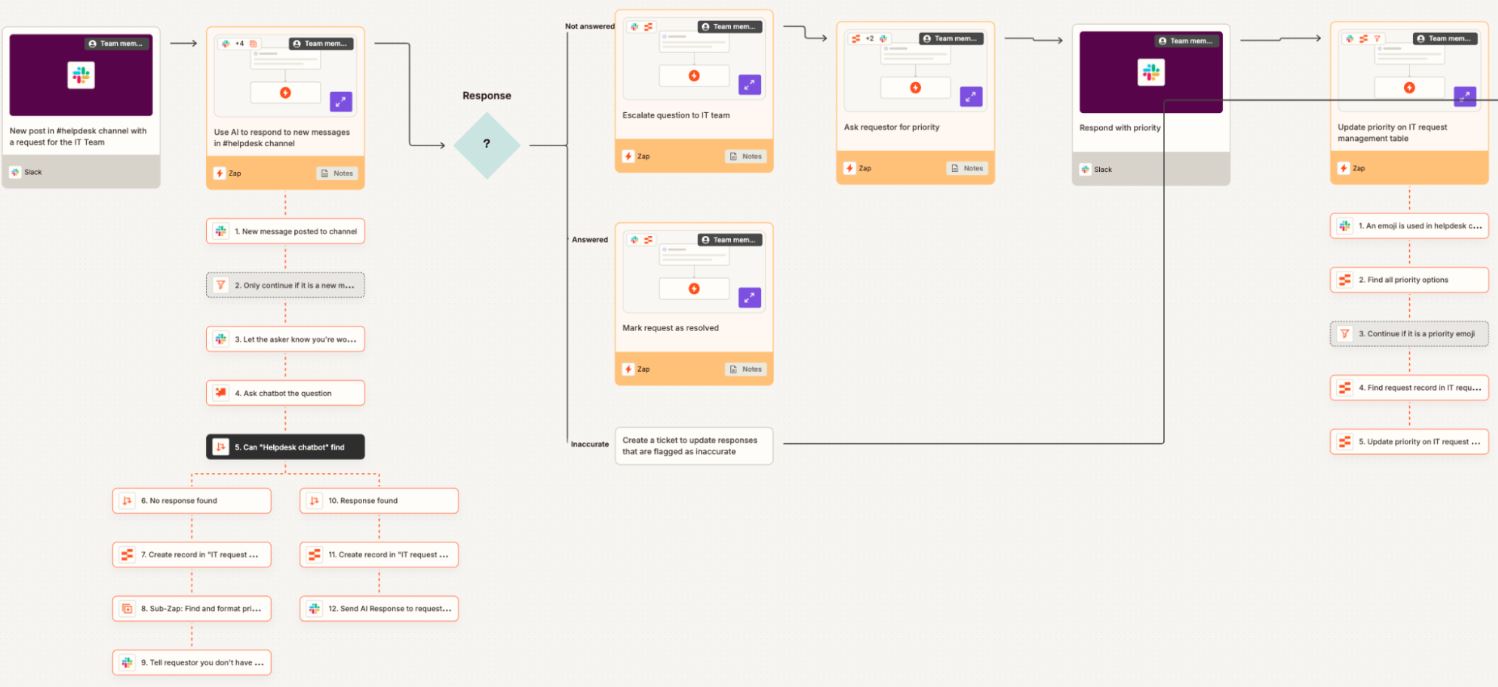
Make and Zapier automation that eliminates manual steps — lead capture to CRM, invoice triggers, email sequences, and cross-platform data sync between your business tools.

WordPress Integrations
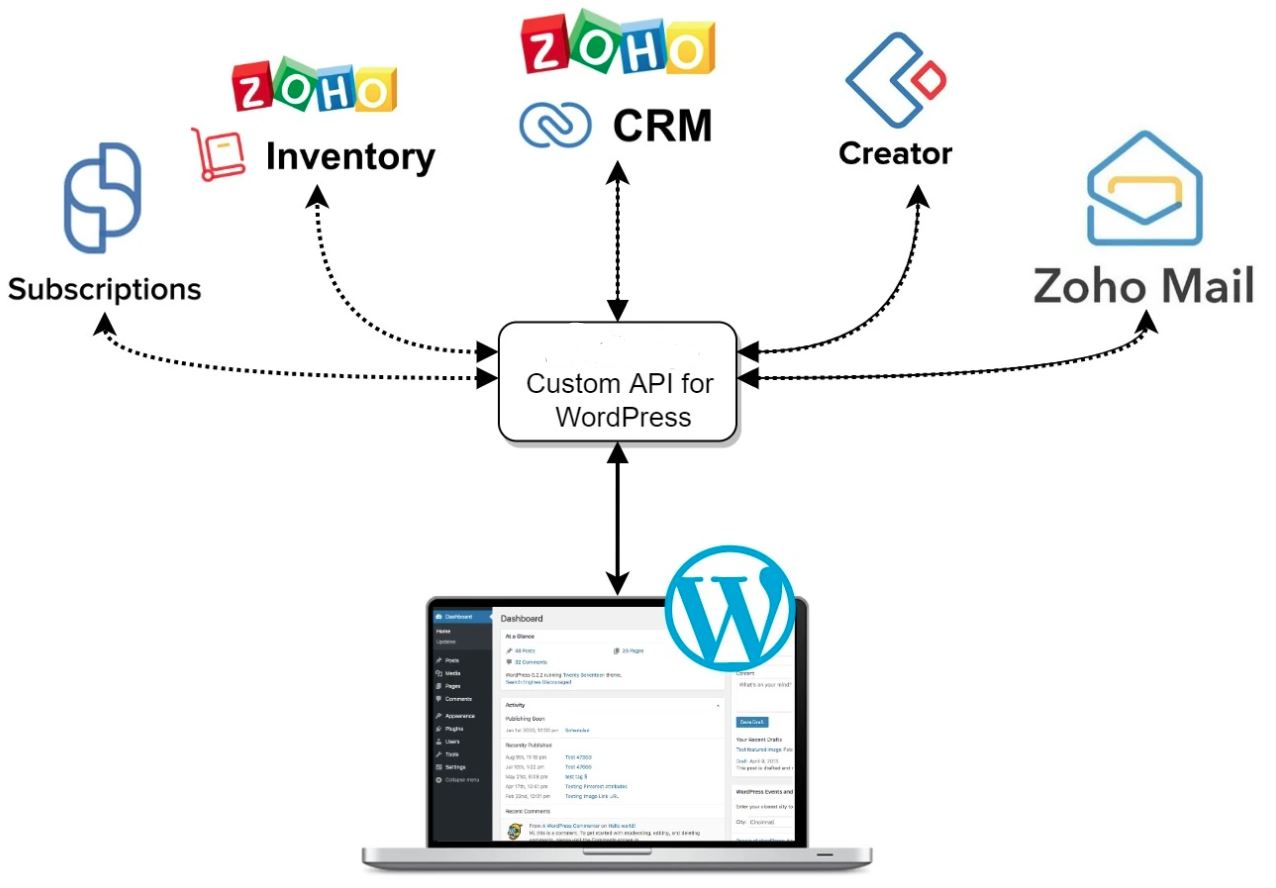
Custom API integrations connecting your WordPress website to your CRM, accounting software, inventory systems and third-party platforms — built to your specific requirements.

AI Business Integration
Practical AI integration into specific business processes — document handling, inventory forecasting, customer communication and reporting — using tools your team can operate daily.

Monthly Support Plans
Fixed monthly retainer covering CRM management, accounting software support, automation maintenance and WordPress updates — no surprise invoices, priority response.


Zoho CRM, Microsoft 365 & Business System Setup for South African SMEs
Most small and medium businesses in South Africa are managing their operations across a combination of tools that were never designed to work together, a standalone accounting package, a separate email platform, customer records in a spreadsheet, and a website that doesn’t connect to any of it. The result is duplicated data entry, missed follow-ups, reporting that takes hours to pull together manually, and no clear picture of what’s actually happening in the business.
New Perspective Design sets up and configures the core business systems SMEs need to operate efficiently, CRM platforms, communication tools, accounting software, and cloud-based infrastructure, and connects them so they function as a single integrated system rather than a set of isolated tools.
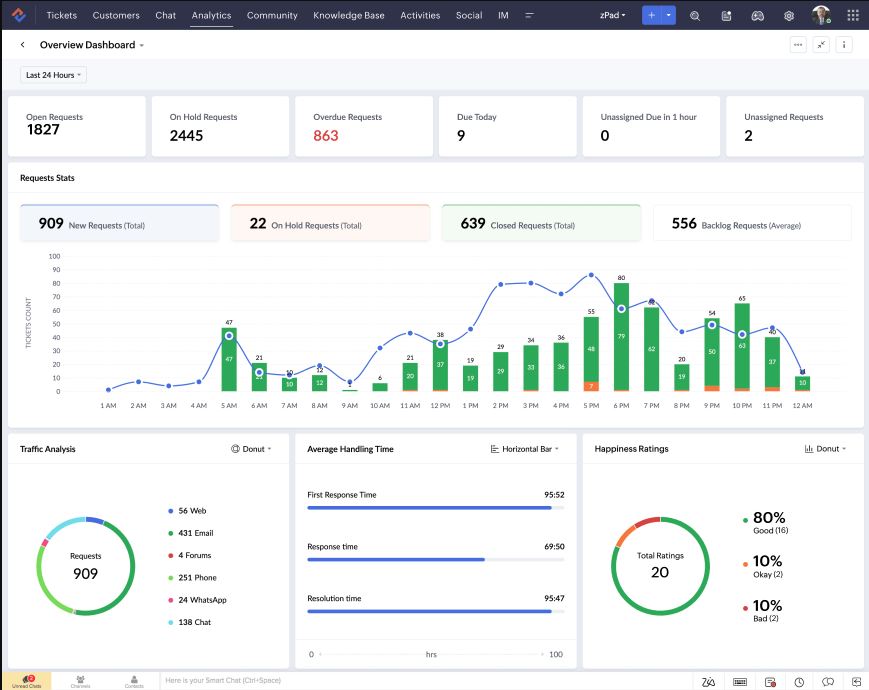
Our business systems setup covers Zoho CRM including pipeline design, deal stage configuration, custom field setup, and user role management. We configure Zoho’s broader suite where relevant — Zoho Books, Zoho Inventory, Zoho Desk, and Zoho Campaigns — and integrate these with Microsoft 365 or Google Workspace for communication and document management.
- Zoho CRM setup, pipeline design and user configuration
- Zoho Books, Zoho Inventory and Zoho suite integration
- Microsoft 365 environment — Teams, SharePoint, OneDrive
- Google Workspace setup and migration
- CRM to accounting software integration
- User training and handover documentation
QuickBooks, Xero & Sage Setup, Integration & Support
Accounting software should do more than store your transactions. QuickBooks, Xero and Sage are capable platforms, but most SMEs use less than 30% of what they can actually do, and almost none have their accounting software connected to the rest of their business systems. That means data gets captured twice, invoices get sent manually, and month-end reporting takes far longer than it should.
We set up and configure QuickBooks Online, Xero and Sage for South African businesses, including chart of accounts setup, tax configuration, bank feed connections, and user access management. Beyond the initial setup, we integrate your accounting platform with your CRM, your website, and your email system so that quote generation, invoice dispatch, payment tracking, and client records are connected across your business.
For businesses running Sage, whether Sage Business Cloud, Sage 50, or Sage 200 we provide setup, configuration and integration support specific to the South African tax and reporting environment, including VAT configuration and payroll system connections where required.
- QuickBooks Online setup and full configuration
- Xero setup including bank feeds and tax configuration
- Sage Business Cloud, Sage 50 and Sage 200 setup
- Accounting software to CRM integration
- WordPress to QuickBooks and Sage invoice integration
- Email integration for automated invoice dispatch
- VAT and South African tax configuration
When it comes to responsive web designers east london we are simply the best service.
responsive web design East London
When it comes to logo design east london we are simply the best service.
Make & Zapier Workflow Automation, Remove the Manual Steps From Your Business
Every time a staff member copies data from one system to another, sends a follow-up email that could have been triggered automatically, or generates a report by pulling numbers from three different places manually, your business is spending money it doesn’t need to spend. Workflow automation using Make and Zapier eliminates these manual steps by building automated connections between your existing software platforms, without custom development costs.
We design, build and test automation workflows that connect your CRM, accounting software, email platform, website, and other business tools into a single operational flow. A lead that comes in through your website gets logged in Zoho CRM, triggers a follow-up email sequence, and creates a draft quote in QuickBooks, without anyone touching it manually. A completed job in your CRM triggers an invoice in Sage, which gets dispatched to the client and logged in your reporting dashboard automatically.
For more complex requirements, we build custom automation using Make’s multi-step scenario builder, including data transformation, conditional logic, error handling, and scheduled batch processing.
- Make scenario design, build and testing
- Zapier workflow setup and management
- CRM to accounting software automation
- Lead capture to CRM and email sequence automation
- Invoice and payment trigger automation
- Cross-platform data sync and deduplication
- Scheduled reporting and dashboard automation
WordPress API Integrations & Custom Builds — Your Website Connected to Your Business
A WordPress website that isn’t connected to your business systems is a missed opportunity. Every contact form submission that gets emailed to an inbox and manually entered into your CRM, every online order that needs to be manually recorded in your accounting software, every client inquiry that sits in a notification rather than flowing into a pipeline, these are friction points that cost time and introduce errors.
We build direct integrations between WordPress and your business software using REST API connections, webhooks, and custom plugin development. This includes WordPress to Zoho CRM integration for lead capture and contact management, WordPress to QuickBooks and Sage for automated invoice creation and payment recording, and WooCommerce to inventory and fulfilment system connections for e-commerce businesses.
For businesses with more complex requirements, custom booking systems, client portals, data dashboards, or bespoke application logic, we design and develop the specific functionality your business needs rather than fitting your processes around what an off-the-shelf plugin can do.
- WordPress to Zoho CRM API integration
- WordPress to QuickBooks and Sage integration
- WooCommerce to accounting and inventory integration
- Custom REST API and webhook development
- Client portal and dashboard development
- Custom booking and application systems
- Third-party plugin integration and customisation
When it comes to logo design east london we are simply the best service.
AI Agents, MCP Connectors & Business Automation, Specific Tools, Not Buzzwords
Most SME owners are spending hours every week doing work their software should be doing for them, copying data between systems, chasing leads manually, filing documents by hand, pulling reports together from three different places. That’s not a staffing problem. It’s a systems problem. And AI solves specific parts of it in ways that are practical, affordable, and operational within your existing setup.
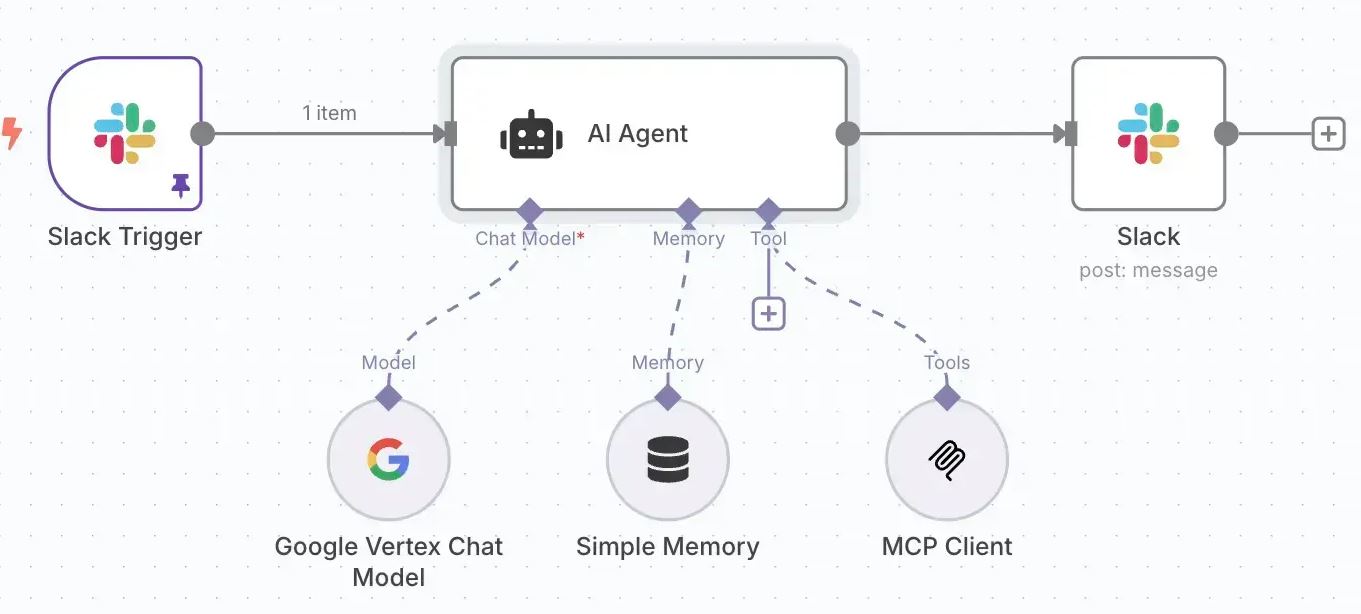
We build and deploy AI agents, automated processes that take real actions inside your business systems. An AI agent can monitor your inbox for new enquiries, log the contact in Zoho CRM, send a branded acknowledgement email, and schedule a callback, without anyone in your team touching it. Agents can update records, generate documents, trigger follow-up sequences, and escalate exceptions to a human only when the situation actually requires it.
For businesses that want to query their own data in plain English, we implement MCP (Model Context Protocol) connectors that link AI tools like Claude directly into your Zoho CRM, QuickBooks, Sage or other business systems. Instead of running a report, a staff member can ask a direct question, “which clients haven’t paid in 60 days” or “what’s our pipeline value this month”, and get an accurate answer pulled from live data in seconds.
On the client-facing side, we build AI chatbots deployed on your WordPress website that qualify leads, answer service and product questions, capture contact details, and push records directly into your CRM, operating 24 hours a day without staff involvement. For document-heavy businesses, we implement AI document processing that reads incoming invoices, purchase orders, delivery notes and contracts, extracts the relevant data fields, and routes them into your accounting software or ERP automatically.
Where Make and Zapier reach their limits, complex logic, high-volume processing, or integrations between systems that don’t have native connectors, we build custom in-house automation solutions. These are purpose-built for your specific workflow, have no per-task pricing, and aren’t dependent on a third-party platform staying operational.
- AI agents, automated actions inside Zoho, QuickBooks, Sage and email
- MCP connectors, plain English queries against your live business data
- AI chatbots on WordPress, lead capture, FAQ and CRM integration
- AI document processing, invoices, POs, contracts and delivery notes
- Make and Zapier workflows with embedded AI decision steps
- Custom in-house automation builds, no platform dependency, no per-task fees
How We Structure Our Business Technology Services
Our four-tier model lets you start where your business needs it most and expand as you grow — without switching providers or rebuilding your stack.
Business Systems Setup
The right platforms, correctly configured and connected from the start.
- Zoho CRM & suite
- Microsoft 365
- QuickBooks, Xero, Sage
- Google Workspace
Workflow Automation
Automated connections between your tools that remove manual steps.
- Make scenarios
- Zapier workflows
- WordPress API builds
- Custom integrations
AI Integration
Practical AI embedded into your existing business processes.
- Document processing
- Inventory forecasting
- Lead qualification
- Automated reporting
Ongoing Support
Monthly management, monitoring and continuous optimisation.
- System updates
- User management
- Priority support
- Stack optimisation
Our Client Stories
Helping our clients suceed
 New Perspective Design | Websites | Marketing | Graphics | Branding

1 Salisbury Rd, Berea, KuGompo City
-
 Working with Juan and the team at New Perspective Design has been an outstanding … More experience from start to finish.
They took the time to understand the vision behind AgriTeb Africa and translated it into a professional, modern, and highly functional website that accurately reflects our business and long-term ambitions.
Their attention to detail, responsiveness, technical expertise, and willingness to accommodate changes throughout the development process made the entire experience seamless.
The final result exceeded expectations and has provided AgriTeb Africa with a strong digital foundation as we continue to grow.
I highly recommend New Perspective Design to any business looking for a professional web development partner.
— Tebogo Ngoepe, Founder & Managing Director, AgriTeb Africa -
Excellent service from Juan and the team. They handled the development and deployment … More of our website professionally. The site was delivered smoothly, security measures were implemented and everything was tested before going live.
I would gladly recommend their services to anyone looking for reliable website development and hosting support.
Thank you again for the great work. -
Needed an urgent logo to be designed. Aimee and team were able to understand the … More requirements only via email and had the logo finalized within 1 business day. Super efficient and reasonably priced.
-
A big thank you to Juan at New Perspective Studio for the great, friendly service. … More He made the whole process super easy for us, and we really appreciated his positive attitude and professionalism. Highly recommended.
-
New Perspective Design is a highly recommended company if you need any assistance … More with websites/marketing. They are professional and offer quick and fast services. Juan and his team designed our school's website "Wysneusie kleuterskool" which we are very proud of. They are very thorough and helpfull with step by step instructions of what is needed from the client.
-
I work since 8 years with New Perspective Design. Their Design and service is always … More excellent. Thank you.
-
I reached out to NPD looking for a clean, professional and grounding website. I was … More extremely overwhelmed due to the Vision I had, and the amount of work we needed to put into the Website.
Juan is exceptional and gifted at what he does! He listens, advises, recommends, and he has a great attention to detail!
He went over and above to deliver an absolute beautiful Website !!! And his sense of humor is EVERYTHING! We are looking forward to a long working relationship with NPD and I would definitely recommend him for Website designs.
Everything works. Paystack, Bookings, and and the Website flows seamlessly.
Working with you has been a breath of fresh air, Juan and thank you for your patience.
I will never thank you enough. 😊🙌🏾🎉
The Aura & Growth Learning Hub Website is Officially Live! -
Outstanding professionalism and exceptional technical skill. He delivered exactly … More what I envisioned with precision and clarity. Highly recommended
-
I had the pleasure of working with Aimee at New Perspective Design, and I am extremely … More impressed with the service I received. She designed my flyers and business cards with a professional and modern look that perfectly matched my business needs. Aimee was attentive, creative, and efficient throughout the process, and she ensured that I was completely satisfied with the final designs. I highly recommend New Perspective to anyone looking for quality design services and excellent customer support.
-
I had the pleasure of working with Aimee at New Perspective Design, and I am extremely … More impressed with the service I received. She designed my flyers and business cards with a professional and modern look that perfectly matched my business needs. Aimee was attentive, creative, and efficient throughout the process, and she ensured that I was completely satisfied with the final designs. I highly recommend New Perspective to anyone looking for quality design services and excellent customer support.
-
If you ever need a developer who won’t fire you for creating scope creep… speak to … More Juan from New Perspective Studio.Juan’s been helping me build my coaching website, integrate Paystack payments, connect calendars, and set up Google Ads — all while I keep changing my mind, asking for “just one more thing”, and missing my own deadlines.He keeps on showing up with patience, professionalism and a very dry sense of humour that I’ve come to appreciate almost as much as his technical skill.If you’re looking for someone who can handle the full stack and your executive functioning chaos — Juan’s your guy. Grateful for the partnership and very happy to recommend him.Cannot sing his praises enough!
-
100% impressed with their work! The team delivered a sleek, professional website … More and went above and beyond to help with every detail. Their eagerness to make everything perfect was top-notch.
-
I would most definitely recommend them. They are such an amazing company. If I had … More to put it in any way I would say it way less for way more. They are so fairly priced and you get so much!!! Definitely do business with them. Did our vertical graphics website.
-
Aimee Behrens was extremely helpful throughout the entire design process. She understood … More my requirements and the product that was delivered was beyond my expectation. I am extremely thankful and very happy with the designs. Thank you to Aimee and the NPD team for your professional service.
-
Aimee from New Perspective Design helped us with our Company Logo design and company … More stationary on more than one occasion.The designs were always exactly what we wanted! Great Service.
-
If I could, I would give 6 stars.Great final product service, and great customer … More care. Going the extra mile to meet and exceed our desires and request with the website design. Highly and gladly recommend New Perspective Design, and a special gratitude to Juan and Aimee.
-
Juan built the daisa.co.za website for me. From the start he was very professional … More and open. he kept to the time line he gave me and I never had to doubt his ability to do what I expected. After the website was built, I required minor changes and I got more than what I expected. I will recommend New Perspective Design any time to any Company that needs a website. My site is now running for four years now and I never had an issue that caused my site to broke down.Thank you Juan for grate service and especially after sales service.
-
New Perspective Design has hosted my website for a few years now, and I have received … More excellent service and outstanding results, from their suggestions and advice. They tailor make to your requirements as you grow.
-
We recently had the pleasure of working with New Perspective Design for several design … More projects, and we cannot speak highly enough of their professionalism and work ethic. From start to finish, their team demonstrated an impressive commitment to excellence, consistently delivering beyond our expectations. The end product was not only professional but also surpassed what we had envisioned. Their attention to detail and creativity truly set them apart.If you are in need of design work or a website, we wholeheartedly recommend New Perspective Design. Their dedication to quality and customer satisfaction ensures that you will receive exceptional service and a final product that stands out.
-
I recently had a website created by New Perspective, and I’m really impressed with … More their one-on-one consultation process. They took the time to sit down with me, really listen to what I wanted, and ensured the final design reflected my vision perfectly. Throughout the project, they maintained excellent communication, keeping me informed and engaged in each step of the process. I highly recommend New Perspective for anyone looking for a personalized, attentive approach to web design!


Business Solutions FAQ
Getting Started
What does Business Technology actually mean in practice?
It refers to the software systems, integrations, and automations that run your business day to day — your CRM, accounting software, communication platforms, and the connections between them. Most SMEs have these tools in place but they are not connected, not configured correctly, or not being used to anywhere near their full capability.
Our Business Technology service sets up, connects, and automates these systems so your business runs more efficiently without adding headcount or manual admin.
How do I know if my business needs this?
If any of the following apply, it is worth having a conversation with us:
- Your team is capturing the same data in more than one place
- Leads or follow-ups are falling through the cracks
- You are generating invoices or reports manually from multiple sources
- Your website does not feed into your CRM or accounting software
- You are using spreadsheets to manage things that software should be handling
- Staff are spending significant time on tasks that feel like they should be automatic
These are not edge cases — they are the norm for most South African SMEs, and they represent a direct cost to the business in time and errors.
Where do you typically start with a new client?
We start with a scoping consultation to understand what software you are currently using, what is and isn't working, and what your actual operational pain points are. From there we identify which integrations or automations would have the most immediate impact and build out from there.
Every business is different. We do not apply a template — we scope based on what we find and what your business actually needs.
Do you work with businesses that already have software in place, or only new setups?
Both. Many of our clients already have QuickBooks, Zoho, or Microsoft 365 in place but have never had them properly configured or connected to anything else. We can work with your existing setup — auditing what you have, fixing what is misconfigured, and building the integrations that are missing.
For new businesses or businesses starting fresh with a platform, we handle the full setup from scratch.
CRM & Business Systems Setup
What does a Zoho CRM setup actually involve?
A proper Zoho CRM setup goes well beyond creating an account. It includes configuring your sales pipeline stages to match how your business actually sells, setting up custom fields to capture the data that matters to you, defining user roles and access permissions, creating deal and contact views your team will actually use, and connecting the CRM to your email and website so leads flow in automatically.
A CRM that is set up correctly from the start is used. One that isn't is abandoned within three months — which is unfortunately the most common outcome when businesses try to self-configure.
The scope of a CRM setup varies significantly depending on your sales process, team size, and how many other systems need to connect to it. We always scope this before quoting.
Can you connect Zoho CRM to our accounting software?
Yes. Zoho CRM integrates natively with Zoho Books, and we can connect it to QuickBooks and Xero via API or automation platforms. This means a deal closed in your CRM can automatically trigger an invoice in your accounting software without anyone manually recreating the data.
The specific integration method depends on which accounting platform you are using and what data needs to flow between the two systems. We scope this per client as the requirements vary.
Which CRM do you recommend — Zoho or something else?
For most South African SMEs, Zoho CRM is our primary recommendation. It is cost-effective in rands, highly configurable, integrates with a wide range of other tools, and is backed by a broader suite of business software — Zoho Books, Zoho Inventory, Zoho Desk — that can grow with your business without requiring platform changes.
That said, the right CRM depends on your specific workflow, team size, and what other systems you are using. We advise on this during the scoping consultation rather than making a blanket recommendation.
Do you provide training after setting up our systems?
Yes. Handover and basic user training is included as part of any system setup. We walk your team through how to use what we have built, and provide documentation where relevant so your staff are not dependent on us for day-to-day operation.
For more complex platforms or larger teams, extended training sessions can be scoped and quoted separately.
Accounting Software — QuickBooks, Xero & Sage
What is the difference between QuickBooks, Xero, and Sage — which one is right for us?
All three are capable accounting platforms, but they suit different business types:
- QuickBooks Online is popular with small businesses that need straightforward invoicing, expense tracking, and basic reporting. It integrates well with a wide range of third-party tools.
- Xero is strong on bank reconciliation, multi-currency, and accountant collaboration. It is a good fit for businesses that work closely with an external accountant or bookkeeper.
- Sage is widely used in South Africa and handles local payroll, VAT, and reporting requirements well. Sage Business Cloud is the cloud-based option; Sage 50 and 200 are more feature-rich for larger operations.
The right choice depends on your current accountant's preference, your industry, your team size, and what other systems need to integrate with your accounting software. We advise on this during scoping.
Can you integrate our accounting software with our website so invoices are created automatically?
Yes. We build integrations between WordPress or WooCommerce and QuickBooks, Xero, and Sage so that orders, quote requests, or contact form submissions can trigger invoice creation or customer record creation in your accounting software automatically.
The specific setup depends on whether you are running an e-commerce store, a services business, or a quote-based sales process — each has a different integration approach. We scope this per client.
Can you connect our accounting software to our email so invoices are sent automatically?
Yes. Most accounting platforms support outbound email integration, and we configure this as part of the setup process. This means invoices, statements, and payment reminders can be dispatched automatically from within your accounting software using your domain email address — rather than being generated manually and attached to an email.
For businesses using Microsoft 365 or Google Workspace, we ensure the email integration is correctly authenticated so outbound invoices do not land in spam.
We already have an accountant — do we still need you to set up our accounting software?
Your accountant handles the financial side — chart of accounts, reconciliation, tax submissions. We handle the technical and integration side — connecting your accounting software to your CRM, website, and other business tools so the data flows automatically without manual intervention.
We work alongside your accountant, not instead of them. In most cases we will liaise directly with your accountant during setup to ensure the configuration aligns with how they manage your books.
Workflow Automation — Make, Zapier & Custom Builds
What is the difference between Make, Zapier, and a custom-built automation?
Make and Zapier are third-party automation platforms that connect software tools using pre-built connectors. Zapier is simpler and better for straightforward point-to-point automations. Make handles more complex, multi-step workflows with conditional logic and data transformation.
Custom-built automations are developed in-house and run independently of any third-party platform. They have no per-task fees, no platform dependency, and no limitations imposed by what connectors a platform offers. They are the right choice when the workflow is complex, high-volume, or involves systems that do not have native connectors on Make or Zapier.
Which approach is right depends on the complexity of your workflow, the volume of transactions, and the systems involved. We recommend the most practical and cost-effective option per use case.
What are some practical examples of automations you build?
Common automations we build include:
- Website contact form submission creates a lead in Zoho CRM and sends an automatic acknowledgement email to the prospect
- A deal marked as won in the CRM triggers a draft invoice in QuickBooks or Sage
- A new order in WooCommerce creates a customer record in the accounting software and sends a branded confirmation email
- An incoming email with an attached invoice is read by an AI step, data is extracted, and the record is created in the accounting system automatically
- A monthly report is pulled from multiple systems, compiled, and emailed to management automatically on a schedule
Every automation is specific to the business. We scope based on your actual workflow rather than offering a set menu.
Will we need to pay ongoing fees for automation platforms like Make or Zapier?
If your automation runs on Make or Zapier, yes — both platforms charge a monthly subscription based on the number of tasks or operations your workflows run. We advise on the expected platform cost as part of scoping so there are no surprises.
For businesses where the ongoing platform cost is a concern, or where the workflow volume makes a third-party platform expensive, we build custom in-house automation that has no per-task fees and no dependency on an external subscription service.
What happens if an automation breaks or stops working?
Automations can break when an underlying platform changes its API, when credentials expire, or when a workflow encounters data it was not designed to handle. This is a real operational risk that needs to be managed.
For clients on a monthly support plan, we monitor automations and resolve failures as part of the retainer. For once-off builds, we provide a handover with documentation and can be engaged to fix issues as they arise.
We build error handling and failure notifications into automations wherever possible so that a broken workflow is flagged immediately rather than failing silently.
AI Agents, MCP Connectors & Document Processing
What is an AI agent and how is it different from regular automation?
Standard automation follows fixed rules — if X happens, do Y. It is deterministic and only handles situations it was explicitly programmed for.
An AI agent can interpret unstructured input, make decisions based on context, and take actions across multiple systems. For example, a standard automation can route a form submission to a CRM. An AI agent can read an email, understand what the client is asking, determine the appropriate response, log the interaction in your CRM, draft a reply, and flag it for human review if the situation is outside its confidence threshold — all without a human touching it.
The scope of what an AI agent can do is specific to how it is designed and what systems it is connected to. We scope each agent implementation individually.
What is an MCP connector and what does it actually do?
MCP (Model Context Protocol) is a standard that allows AI tools — such as Claude — to connect directly to your business systems and query or act on live data. Instead of running a report from your CRM or accounting software, a staff member can ask a plain English question and receive an accurate answer pulled from live data in seconds.
For example, with an MCP connector between Claude and Zoho CRM, a team member could ask "which deals have been sitting in proposal stage for more than 30 days" and get an immediate, accurate list — without logging into the CRM, building a filter, or waiting for a report to run.
MCP connector implementations are specific to the AI tool and the business system being connected. We scope these individually based on your platform and use case.
How does AI document processing work in practice?
AI document processing removes the manual step of reading a document and capturing its data into your business systems. When an invoice, purchase order, or delivery note arrives — via email, a shared folder, or a form upload — an AI model reads the document, extracts the relevant fields such as supplier name, invoice number, line items, and totals, and creates or updates the corresponding record in your accounting software or ERP automatically.
This is particularly valuable for businesses that receive high volumes of supplier invoices or purchase orders and currently have staff manually capturing this data. The accuracy is high and exceptions — documents the AI cannot confidently read — are flagged for human review rather than processed incorrectly.
The specific implementation depends on your document types, your accounting platform, and the volume involved. We scope each document processing build individually.
Can you build an AI chatbot for our website?
Yes. We build AI chatbots that are deployed on your WordPress website and trained on your actual business information — your services, pricing structure, FAQs, and processes. The chatbot can qualify incoming leads, answer common questions, capture contact details, and push those details directly into your CRM — operating 24 hours a day without staff involvement.
The chatbot is configured to handle questions it can confidently answer and to escalate to a human when it cannot — so it functions as a first-response layer, not a replacement for your team.
The scope of a chatbot build varies depending on the complexity of your service offering and how many systems it needs to connect to. We always scope before quoting.
Is AI integration suitable for a small business or is it only for larger companies?
AI integration is often more impactful for small businesses than for large ones, because small businesses have less staff to absorb manual work and fewer resources to waste on repetitive admin. A five-person business that automates its lead capture, invoice processing, and follow-up sequences effectively operates with the responsiveness of a much larger team.
The key is starting with the specific process that costs the most time and has the clearest automation path — rather than trying to implement AI across everything at once. We identify those entry points during scoping.
WordPress Integrations & Custom Builds
Can you connect our WordPress website to our CRM and accounting software?
Yes. We build direct API integrations between WordPress and platforms including Zoho CRM, QuickBooks, Xero, and Sage. A contact form submission on your website can create a lead in your CRM and a customer record in your accounting software simultaneously — without anyone manually handling it.
For WooCommerce stores, we connect orders directly to your accounting software so that sales, customer records, and stock levels are updated automatically with each transaction.
What if we need functionality that no plugin offers?
We build it. Where an off-the-shelf plugin does not exist or cannot handle the specific logic your business requires, we develop custom WordPress functionality — whether that is a bespoke booking system, a client portal, a pricing calculator, a custom application form, or a data dashboard that pulls information from multiple sources.
Custom builds are scoped and quoted based on the specific requirements. We document what we build so your team understands how it works and we can maintain it going forward.
Can you build a client portal into our WordPress site?
Yes. We design and build client portals within WordPress that give your clients access to their own information — quotes, invoices, project status, documents, or support requests — without them needing to contact you for every update. This reduces admin load on your team and improves the client experience.
The scope of a portal build depends on what information needs to be accessible, whether it connects to external systems, and how complex the access control requirements are. We scope each build individually.
We are not on WordPress — can you still integrate our website?
In many cases, yes. If your website platform supports webhooks or has an accessible API, we can build integrations regardless of the platform. For platforms with no integration capability, automation tools like Make or Zapier can often act as a bridge between your website forms and your business systems.
Get in touch and let us know what platform you are on. We will advise on what is technically feasible before committing to any approach.
Costs, Scoping & Ongoing Support
Why do you say everything is scoped per client — can't you give a rough price?
Because the same service can take two hours or twenty hours depending on the complexity of your setup, the number of users involved, how many systems need to connect, and the quality of the data already in your platforms. A Zoho CRM setup for a 3-person business with a simple sales process is a fundamentally different job to a Zoho CRM setup for a 25-person business with multiple pipelines, a Sage integration, and existing data that needs to be migrated.
Giving a fixed price without understanding your situation would either mean overcharging you or underdelivering. We scope first, then quote clearly — so you know exactly what you are getting and what it will cost before anything starts.
Do we need an ongoing support plan or can we just pay for the initial setup?
You can pay for the setup only — there is no obligation to take an ongoing plan. Many clients start with a once-off setup and move to a monthly plan later once they see the value of having ongoing management and support in place.
That said, business software and integrations do require maintenance over time. Platforms update, credentials change, staff turn over, and new requirements emerge. A monthly support plan means these things are handled proactively rather than becoming problems you deal with reactively.
Can we combine business technology support with IT support and website maintenance under one plan?
Yes. Many of our clients combine business technology support, IT support, and website hosting and maintenance under a single monthly retainer. This means one invoice, one point of contact, and a team that understands your full technical setup — not just one part of it.
We structure combined plans based on the actual volume of work across each area so you are not paying for hours you do not need.
Are there third-party software costs we need to budget for on top of your fees?
Depending on the platforms involved, yes. Zoho, QuickBooks, Xero, Sage, Make, and Zapier all have their own subscription costs that are paid directly to the software provider — these are separate from our implementation and support fees. We advise on the expected platform costs as part of scoping so you have a complete picture of the total monthly spend before committing.
In some cases we can recommend lower-cost alternatives or structure implementations in a way that reduces ongoing platform fees — particularly where custom-built automation can replace a paid third-party platform.