What I Fix Immediately When I Open a WordPress Backend
A developer’s structural audit checklist
When I open a WordPress dashboard for the first time, I’m not thinking about colours or animations. I’m looking at structure, performance and search foundations. This is exactly why our approach to web design in South Africa is built on technical architecture first, not visuals.
I’m looking at load behaviour, exposed surfaces, unnecessary execution, and structural inefficiencies.
Most WordPress sites don’t fail dramatically.
They slowly accumulate friction.
This is how structural inefficiencies affect a website’s long-term performance, SEO and are the first practical stip to a WordPress Audit?
*Important note before doing any updates to plugin and your site Always make a backup first.
Here is what I immediately review and usually correct.
1. Code Injection Plugins (Header / Footer Insert Plugins)
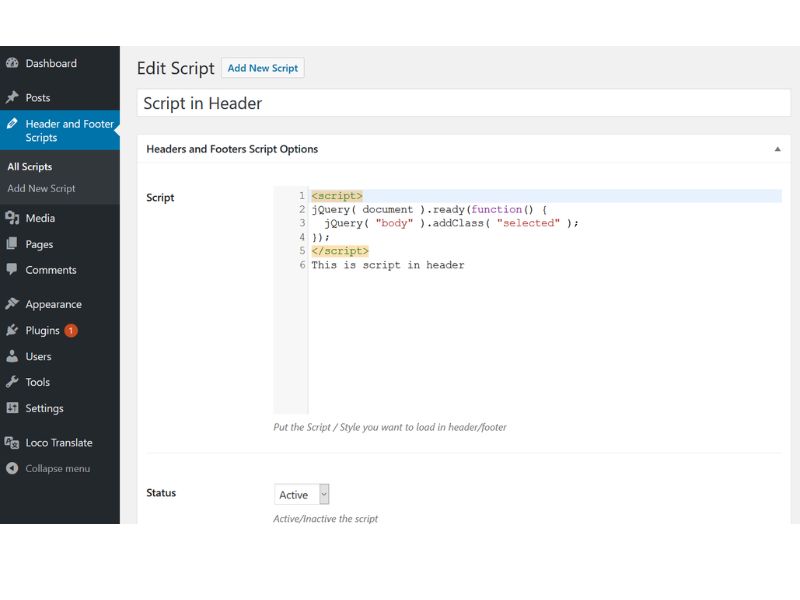
Plugins that exist purely to insert tracking scripts into the head section are often unnecessary.
These are commonly used for:
- Google Analytics
- Tag Manager
- Meta Pixel
In a clean build, this belongs inside a child theme or properly structured theme file.
Every plugin adds:
- Execution overhead
- Update dependency
- Security surface
If it can be handled structurally, it should be.
2. Header & Footer Builder Plugins
Many sites use heavy plugins just to control layout sections.
If your theme supports template overrides, these are redundant.
Extra abstraction layers increase fragility.
3. Permalinks Still Set to Default
This is one of the first technical adjustments we make when implementing SEO services in South Africa, because search visibility starts with structural clarity, not content volume.
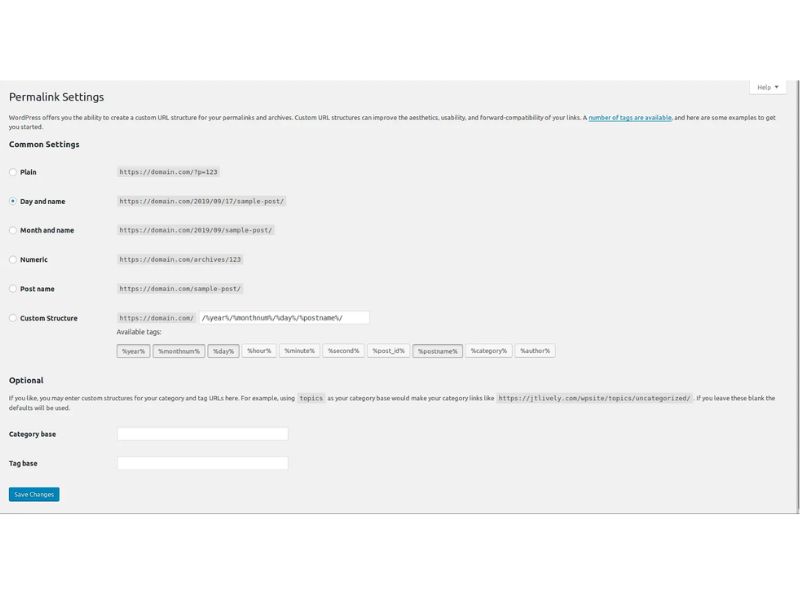
If I see:
/?p=174
instead of:
/web-design-south-afica/
That changes immediately.
URL clarity affects:
- Crawl understanding
- Keyword context
- User trust
- Internal hierarchy
It’s foundational.
4. Comments Enabled When Not Used
If comments are not part of your strategy, disable them.
Open comment systems invite:
- Bot spam
- Email abuse
- Domain reputation damage
Less exposure, less noise.
5. Contact Forms Sending From Domain Email
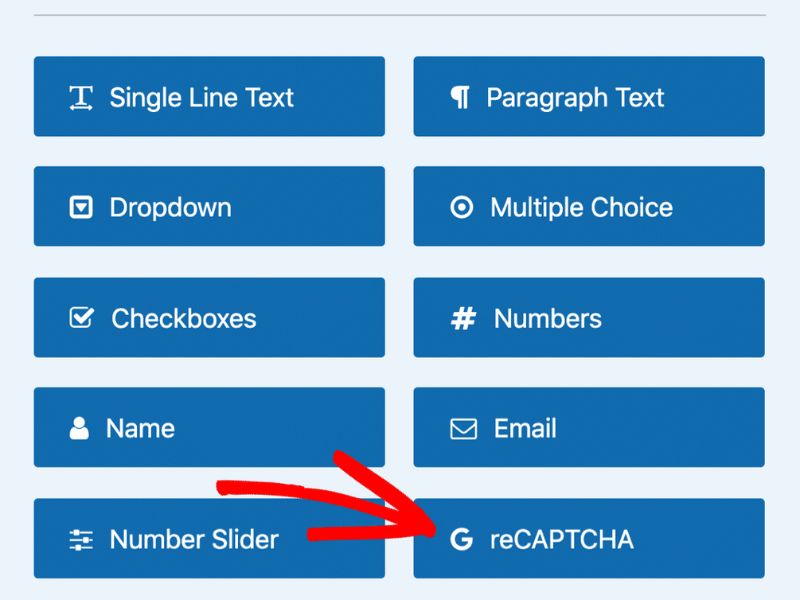
f forms send as:
and spam hits the form, your host may flag you for sending spam.
That leads to:
- Mail blocking
- Reputation damage
- Delivery failures
We configure:
- Proper SMTP
- Honeypot
- reCAPTCHA
- Firewall filtering
6. Plugins That Load Heavy Assets on Every Page
This is a common one.
Plugins like:
- Appointment systems
- Calendar tools
- Event managers
- Booking forms
Often load:
- Large CSS files
- Multiple JavaScript libraries
- API calls
On every single page of the website.
Even pages that don’t use them.
This increases:
- Page weight
- Render blocking
- TTFB
- Total load time
If a booking form exists on one page, its assets should not load site-wide.
We conditionally dequeue scripts or isolate execution.
This alone can dramatically improve performance.
7. No Caching Configured
Speed is structural, not cosmetic.
We implement:
- Page caching
- Browser caching
- Object caching where appropriate
It reduces:
- Crawl inefficiencies
- Server strain
- Load time
8. Ping Services Enabled
Legacy WordPress ping settings are unnecessary for most business sites.
They invite spam triggers.
Disabled.
9. Broken Heading Hierarchy
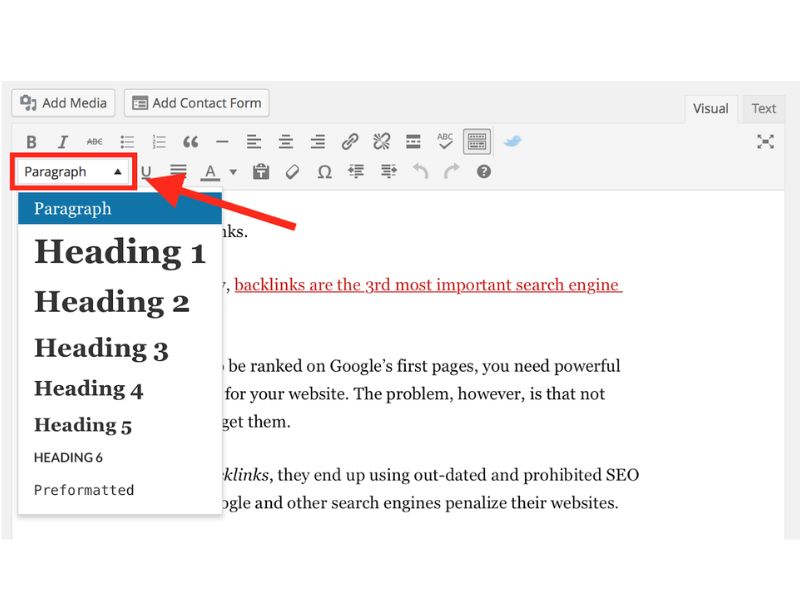
Page builders often create:
- Multiple H1 tags
- Styled divs instead of semantic headings
- Skipped hierarchy levels
Search engines rely on structure.
Clean HTML hierarchy improves:
- Content interpretation
- Search alignment
- Accessibility
10. Massive Images
We frequently see:
- 6MB hero images
- 8MB background images
Image optimisation is not optional.
It affects:
- Core Web Vitals
- Mobile usability
- Crawl performance
Compression and proper sizing are immediate actions.
11. No Security Layer
We add:
- Web Application Firewall
- Brute force protection
- Login rate limiting
- 2FA
Security is proactive, not reactive.
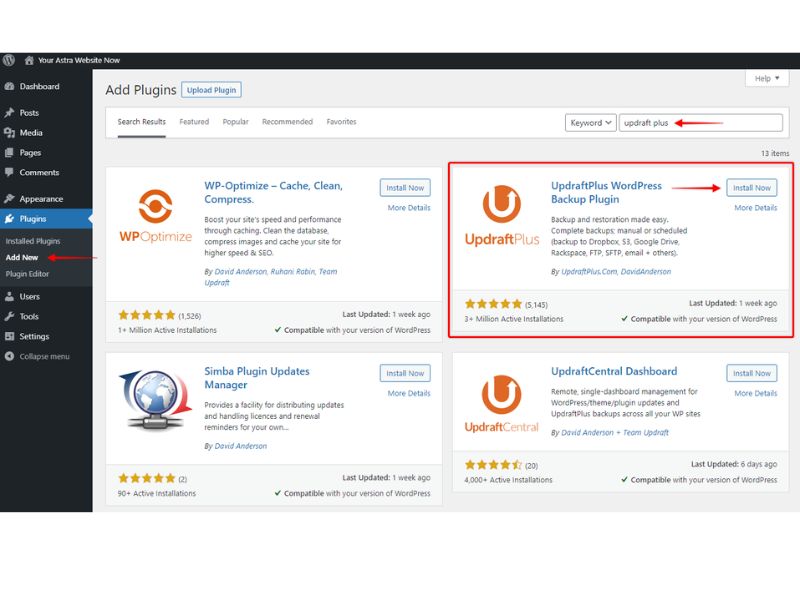
12. No Backup Strategy
Page builders often create:
- Multiple H1 tags
- Styled divs instead of semantic headings
- Skipped hierarchy levels
Search engines rely on structure.
Clean HTML hierarchy improves:
- Content interpretation
- Search alignment
- Accessibility
13. WooCommerce Installed and Left Open
If you’re running eCommerce, structural protection and speed directly influence both trust and conversions. We address this at the development layer before scaling traffic through Google Ads management or SEO campaigns.
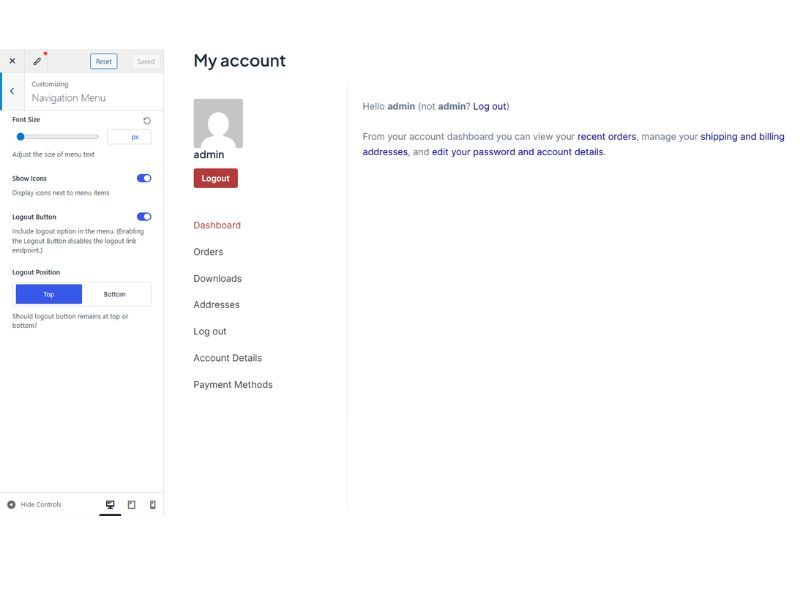
WooCommerce enables:
- Registration endpoints
- Login endpoints
- Password resets
If not used → remove it.
If used → protect it.
We implement:
- reCAPTCHA
- Firewall rules
- Login protection
- Strong password policies
15. Unused Themes and Plugins
If it’s installed, it increases attack surface.
We remove:
- Inactive themes
- Deactivated plugins
- Abandoned tools
Lean systems are stable systems.
16. SEO Defaults Never Configured
Common findings:
- Title tags as “Home”
- No meta descriptions
- Page builder shortcode fragments in search results
We structure:
- Clean title tags
- Intent-aligned descriptions
- Proper indexing rules
SEO is structural before it is promotional.
Free Basic Website Audit Checklist for you…
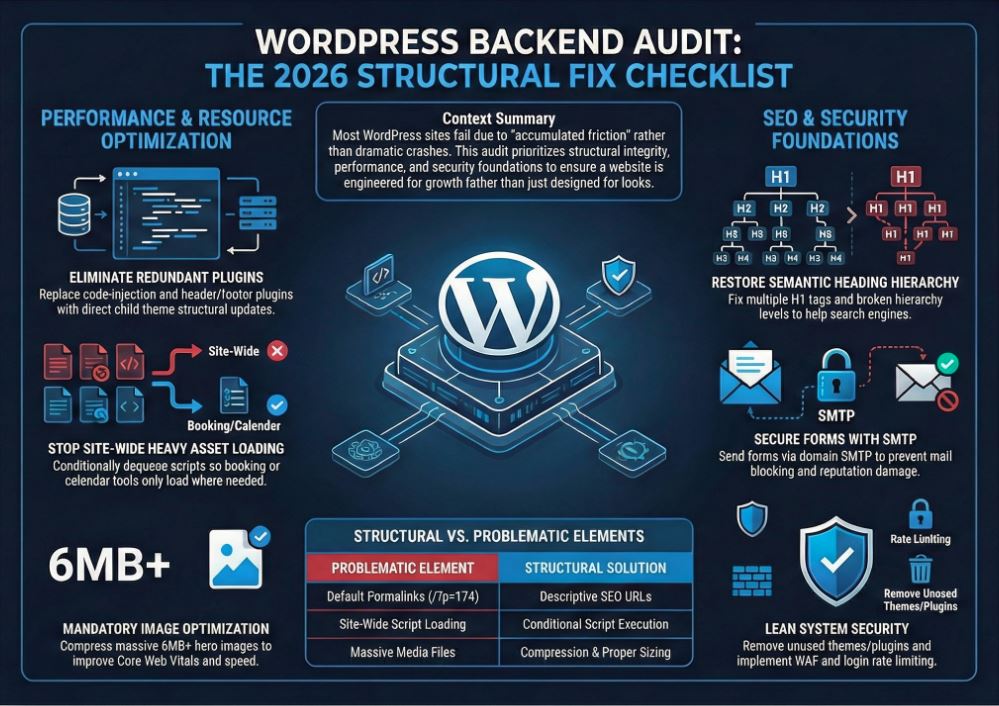
The Pattern
None of these are dramatic hacks.
These are the kinds of structural audits we perform before redesigning anything. Often businesses don’t need a new website. They need proper architecture. That’s the difference between design and engineered growth.
They are structural inefficiencies that accumulate quietly.
Most business owners never see them.
Most developers ignore them after launch.
Websites do not collapse.
They decay.
- Written By Juan Preuyt