
Free Color Picker Tool & Palette Generator
Pick a colour, see it instantly in HEX, RGB and HSB. Generate complementary, analogous, triadic and tetradic colour schemes, pull shades and tints from any base colour, and save the palette as you go. No sign-up, no watermark, completely free.
How Do I Use This Color Picker?
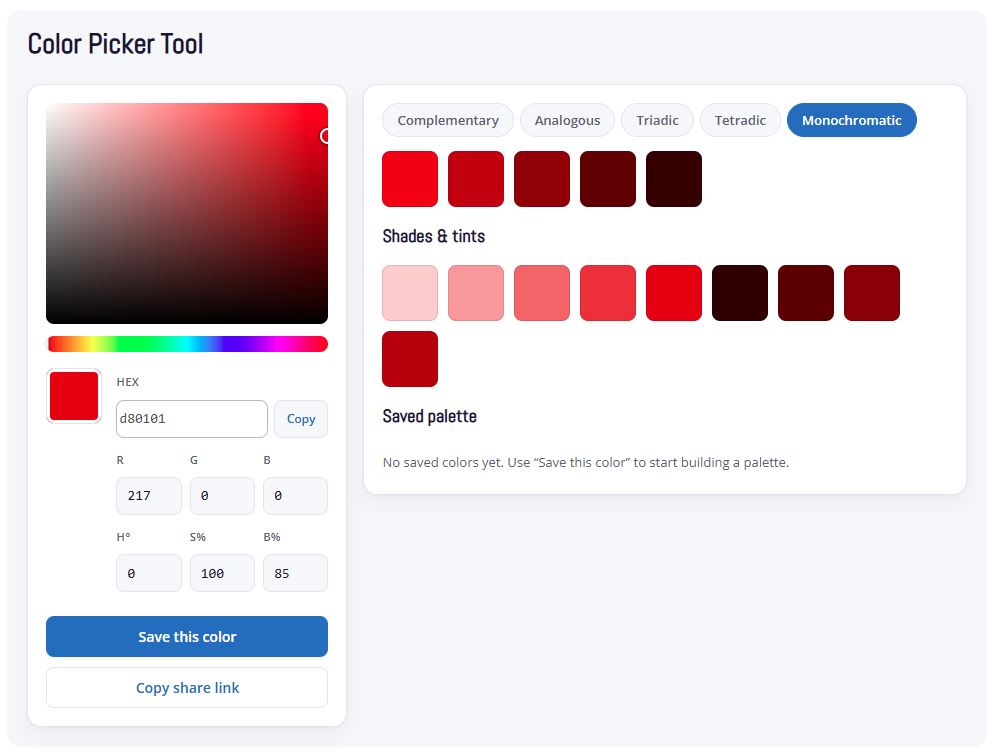
Drag the square to set saturation and brightness, drag the strip below it to set hue. You can also type a HEX code or RGB values directly into the fields if you already know the colour you want.
Once you’ve got a base colour, switch between the Complementary, Analogous, Triadic, Tetradic and Monochromatic tabs to see matching colour schemes generated automatically. Click any swatch to make it your new base colour. Click “Save this colour” to add it to your palette, which stays saved in your browser between visits.
Color Picker Tool
Shades & tints
Saved palette
No saved colors yet. Use “Save this color” to start building a palette.
Colour harmony
Colour harmony is the relationship between colours on the colour wheel, and it’s what makes a palette feel intentional instead of random. Each scheme type suits a different job:
Complementary pairs a colour with its opposite on the wheel. High contrast, good for a single accent colour against a neutral brand, like a call-to-action button.
Analogous uses colours that sit next to each other. Low contrast, calm, good for backgrounds and gradients where you don’t want anything fighting for attention.
Triadic spaces three colours evenly around the wheel. Balanced and vibrant, common in logo and brand identity work where you need a few distinct but related colours.
Tetradic uses four colours in two complementary pairs. More flexibility, more risk of clashing, best used with one dominant colour and the rest as accents.
Monochromatic stays on one hue and varies brightness only. Safe, professional, the default for most corporate brand palettes.
When we build a brand identity for a client, the scheme choice comes from the brand’s personality first, the colour wheel second. A financial services brand and a children’s brand shouldn’t land on the same logic even with the same starting colour.
Why colour theory matters
Colour theory has shaped art and design and branding for centuries, and every designer still works from it today. Whether we’re designing a website, a logo or any piece of graphic design, the colours we choose aren’t random. We’re applying the same colour theory that’s guided designers, painters and brand builders long before computers existed.
Colour theory gives you a reliable way to find sets of colours that work together. Complementary, analogous, triadic and tetradic relationships each combine hues in a different way, and each one produces a palette that feels harmonious and cohesive rather than thrown together. Get it wrong and you end up with clashing colours and contrast problems that make a website hard to read or a logo hard to recognise. Get it right and the palette feels intentional, the way a properly designed brand should.
That’s exactly why we built this free color picker tool. Whether you’re a designer working through options or a business owner trying to find the right colour for your website, logo or brand, you can use the same colour relationships professional designers rely on, generated instantly instead of worked out by eye.
One thing worth knowing: many of these colour relationships occur naturally. The colours found in flowers, coral reefs and autumn leaves often follow the same complementary and analogous patterns colour theory describes, which is part of why they read as so visually pleasing to us.

Built by a Working South African Design Studio
New Perspective Design has been choosing brand colours, building websites and running SEO campaigns for South African businesses for over 10 years, from East London to Johannesburg, Cape Town, Pretoria and Durban. We’re a certified Google Ads Partner and a 2024 TechBehemoths award winner.
This tool is the same colour logic we use in client brand work, just made free for anyone to use.